

Our Verdict
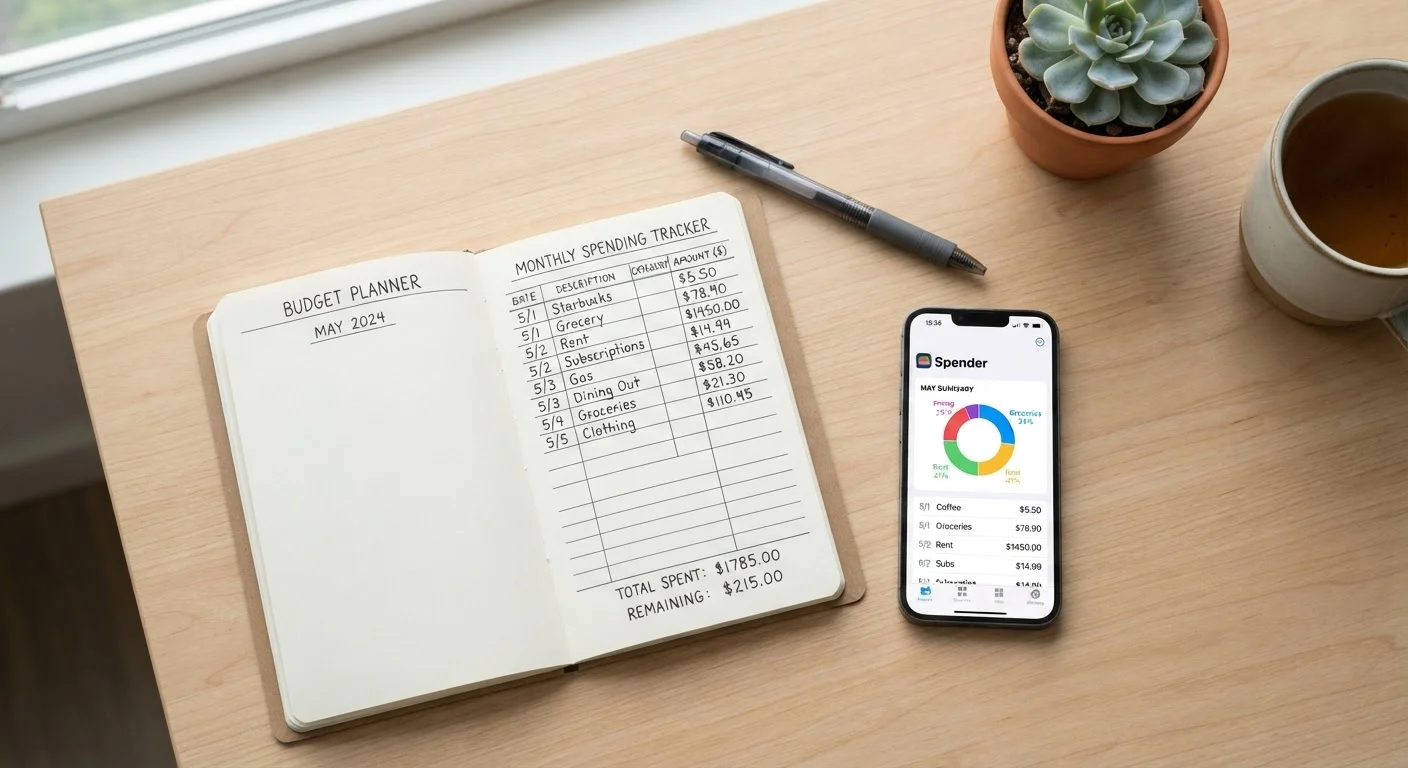
Apps win on convenience and staying power for most everyday budgeters, particularly those who find manual entry tedious. Handwritten or spreadsheet tracking works best for people who are highly motivated, prefer full privacy control, or find that writing things down changes their behavior. The most important factor is not which method is objectively better - it's which one you'll open consistently every week.
| Best for | Recommended |
|---|---|
| Those who want low-effort, automated tracking | Budgeting App |
| Those who prefer complete privacy and no linked accounts | Manual Tracking (Paper or Spreadsheet) |
| Those who want deeper behavioral awareness from their budget | Manual Tracking (Paper or Spreadsheet) |
| Those who travel often and spend across multiple categories | Budgeting App |
Why Tracking Method Matters More Than Most People Think
Most budgeting advice skips straight to categories and percentages. But the method you use to track - paper, spreadsheet, or app - shapes whether you actually follow through at all. A beautiful budget spreadsheet you open twice and abandon is worth nothing. A simple notebook you check every Sunday can change your habits entirely.
The goal of expense tracking isn't to generate data. It's to make you more conscious of where your money goes so you can make deliberate choices. Different methods create different levels of that consciousness - and some fit certain personalities far better than others. For a broader look at what separates consistent budgeters from those who fall off, see habits that keep budgets on track.
Manual Tracking: Paper and Spreadsheets
Writing down every purchase - by hand in a notebook or by typing into a spreadsheet - forces a level of active engagement that apps simply can't replicate. When you manually record that $6.50 coffee, you process it. That friction is intentional and useful.
What works well: Research in behavioral finance suggests that the act of writing something down increases recall and attention. Manual trackers often report that the habit alone makes them more reluctant to spend carelessly. Spreadsheets add the benefit of custom formulas and layouts tailored exactly to your life.
What breaks down: Manual tracking requires you to remember to log every transaction - and to do it consistently. Miss a week, and the whole picture distorts. It also takes real time. People with variable income, lots of small cash purchases, or a busy schedule often find it unsustainable after the first month.
Privacy-First? Stick to Manual
If you're uncomfortable sharing bank login credentials or read-only account access with a third party, a spreadsheet or paper notebook keeps your financial data entirely under your control. A simple five-column layout - date, merchant, amount, category, and notes - covers everything most budgeters need without any software.
If privacy is a concern, manual tracking is the clear winner. You're not connecting bank accounts to a third-party service, and your financial data stays entirely offline.
App-Based Tracking: Automation and Visibility
Budgeting apps typically pull transaction data directly from your bank and credit card accounts, categorize spending automatically, and send alerts when you're approaching a limit. The setup takes effort upfront, but the day-to-day burden is much lower.
What works well: Automation removes the main reason people quit manual tracking - forgetting. Apps create a real-time picture of your spending without requiring you to manually log every latte. For people managing multiple accounts or trying to spot patterns across months, automated data is genuinely hard to replicate by hand.
What to watch: Linking your bank accounts to a third-party app involves sharing credentials or read-only access. Understand the privacy policy of any service you use and know what data is stored or shared. Automatic categorization also makes errors - a hardware store run might get filed under "home improvement" when it was actually a gift. Regular review is still necessary.
Apps Don't Replace Active Review
Connecting a budgeting app to your accounts doesn't mean your finances are on autopilot. Automatic categorization makes mistakes, and spending patterns can drift without triggering any alert. Plan to open your app at least once a week to verify transactions and check category totals - passive data collection without active review often gives a false sense of being in control.
For spending that ties into broader financial goals - like building an emergency fund or planning automated transfers - pairing your tracking method with a savings strategy matters. See how automated savings actually works before linking everything together.
Comparing the Two Approaches Side by Side
Here's a direct look at how manual and app-based tracking stack up across the factors that matter most to everyday budgeters.
| Manual (Paper/Spreadsheet) | App-Based Tracking | |
|---|---|---|
| Time required daily | 10-20 minutes | 2-5 minutes after setup |
| Behavioral awareness | High - active engagement per purchase | Lower - passive data collection |
| Accuracy | Depends on user consistency | High, but auto-categorization needs review |
| Privacy | Full control, data stays local | Third-party access to account data |
| Long-term sustainability | Harder to maintain without motivation | Easier - low daily friction |
| Customization | Unlimited - build your own system | Limited to app's structure and categories |
| Cost | Free or minimal | Free tiers available; some charge monthly fees |
Neither method is universally better. Most people who succeed long-term pick the method that matches how they already process information - visual and data-driven people tend to like apps; reflective, tactile people often prefer paper or spreadsheets.
How to Choose - and What to Do After
Start with this question: Have you tried one method before and quit? If yes, try the other. The biggest mistake is assuming the method you abandoned was the only option.
If you're new to tracking, apps have a lower barrier to entry and produce visible results faster, which helps build the habit. If you've tried apps and found them overwhelming or invasive, a plain spreadsheet with five columns - date, merchant, amount, category, notes - is enough to get started.
Once you've tracked for a full month, do a formal review. A monthly budget audit checklist can help you turn raw spending data into actual decisions. Tracking is only the first step - what you do with the information is where the real work happens.
This article is for general informational purposes only and does not constitute personalized financial advice. Consider speaking with a qualified financial professional about decisions specific to your situation.
The content on this site is for informational purposes only and is not a substitute for professional advice. Always consult a qualified professional for guidance specific to your situation.