

What Resolution Actually Means
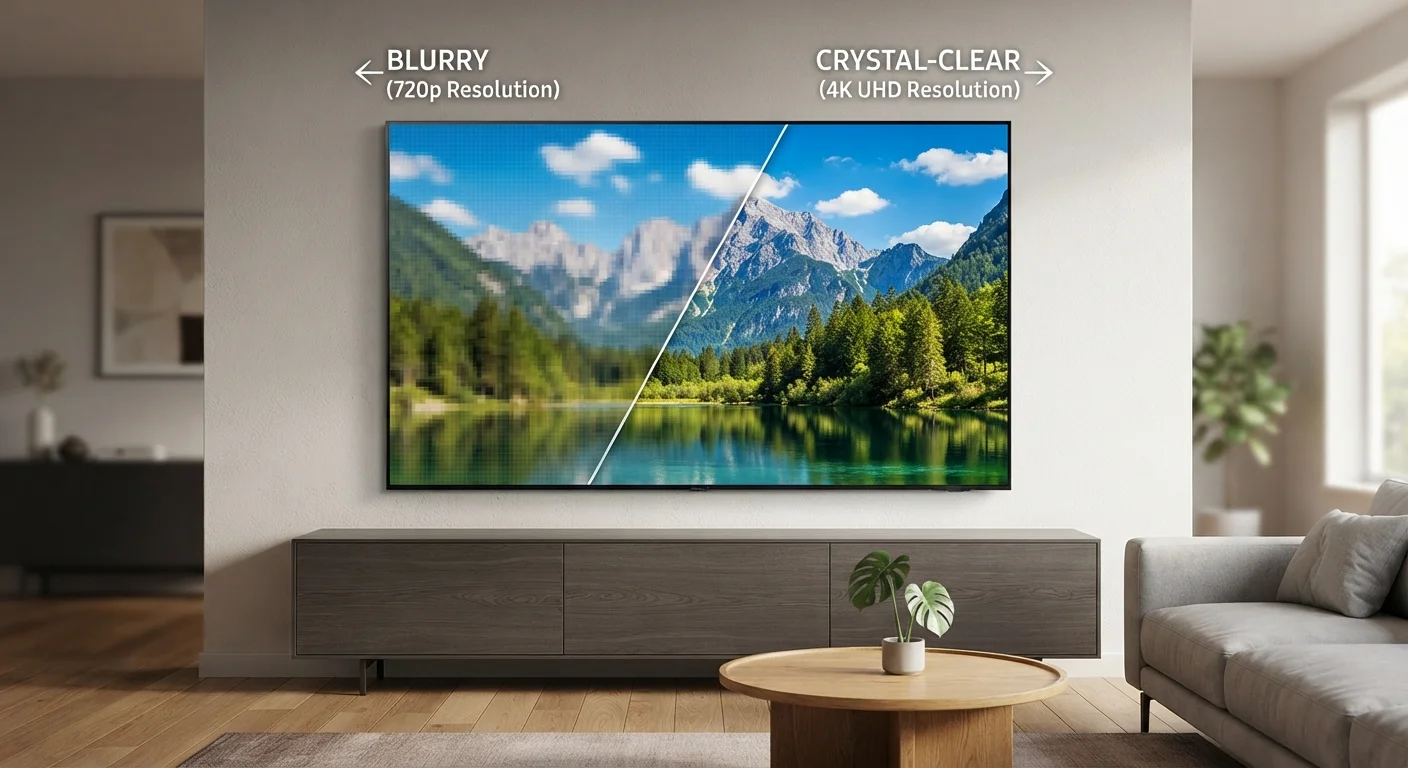
Every image on your TV is built from pixels - tiny colored squares arranged in a grid. Resolution tells you how many of those squares exist on the screen. A higher pixel count means the grid is finer, individual dots are harder to see, and the picture appears smoother and more detailed.
Resolution is written as two numbers: width × height. A 1920×1080 display has 1,920 columns and 1,080 rows of pixels, totaling about 2 million pixels. The shorthand "1080p" comes from that row count. Understanding this grid concept makes every resolution label easier to decode.
Resolution is one important piece of the picture-quality puzzle, but it works alongside other factors. For a deeper look at how screen technology shapes what you see, visit our guide on OLED, QLED, and LED panel differences.
8.3M
Pixels in a 4K (UHD) display
A 3840×2160 screen contains approximately 8.3 million pixels - four times the roughly 2 million in a 1080p Full HD panel.
4×
4K pixel count versus 1080p
Moving from Full HD (1080p) to 4K multiplies the total pixel count by four, which translates to finer on-screen detail at large screen sizes.
33M+
Pixels in an 8K display
An 8K panel at 7680×4320 packs over 33 million pixels per frame - sixteen times the pixel count of a standard 1080p television.
SD, HD, and Full HD: The Baseline Standards
Standard Definition (SD) typically refers to 480p (720×480 pixels). This was the norm for DVDs and older televisions. On a modern flat-screen, SD content looks noticeably soft or blocky because the same small number of pixels is stretched across a much larger screen.
HD (High Definition) at 720p (1280×720) was the first widely adopted step up. It roughly tripled the pixel count of SD and delivered a meaningfully sharper image for the screen sizes common at the time. Some smaller TVs and budget streaming devices still target 720p.
Full HD, or 1080p (1920×1080), became the dominant standard for televisions and remains widely used. Blu-ray discs, most cable broadcasts, and the majority of streaming libraries deliver content at this resolution. For screens up to about 55 inches viewed from a normal sofa distance, 1080p delivers a sharp and satisfying picture for most people.
Check Your Content Before Upgrading Resolution
Before prioritizing a 4K or 8K TV, check whether the content you watch most is actually available in that resolution. Most standard cable packages and many streaming tiers deliver 1080p by default. Ensuring your internet speed and subscription support 4K streaming will make a bigger real-world difference than the TV's spec sheet alone.
4K: What the Jump Really Means
4K - also called UHD - has a resolution of 3840×2160 pixels. That is four times the total pixel count of 1080p. The name "4K" refers loosely to the roughly 4,000-pixel width of the image.
The practical benefit of 4K is most apparent on larger screens (55 inches and up) and when the viewer sits relatively close. The increased pixel density means fine detail - individual blades of grass, facial textures, text in scenes - appears sharper rather than blended together.
Content availability has grown substantially. Several streaming platforms offer 4K catalogs, and 4K Blu-ray is a well-established physical format. That said, streaming 4K requires a faster internet connection and a compatible subscription tier. The TV's internal processing - how it handles non-4K content - also matters significantly for everyday use.
8K: Real Technology, Limited Practicality
8K resolution (7680×4320) quadruples the pixel count of 4K and represents the current frontier of consumer display technology. In raw numbers, it is an extraordinary amount of visual information - over 33 million pixels per frame.
However, native 8K content is almost nonexistent for consumers. No major streaming platform offers an 8K library, and 8K physical media is not commercially available. Most 8K TVs use onboard processors to upscale lower-resolution content - improving it somewhat, but not replicating the impact of true 8K source material.
Human visual acuity also plays a role: perceiving the difference between 4K and 8K requires either an enormous screen or an unusually close viewing distance. For most living-room setups, the gap is practically invisible. You can explore how resolution interacts with other display specs in our home electronics glossary.
“Resolution is one of the most marketed TV specifications, yet it is often one of the least important factors in actual picture quality for the average viewer. Panel technology, brightness, and color processing frequently have a greater impact on what people see day to day.”
— Display Technology Research Community, Consumer display industry analysis, widely reflected in independent TV testing methodology
How to Think About Resolution When Choosing a TV
Three practical factors should guide how much resolution matters for your situation:
- Screen size: Larger screens benefit more from higher resolution because the pixels are spread over a wider area. On a 32-inch set, 1080p and 4K are nearly indistinguishable. On a 75-inch screen, the difference is real.
- Viewing distance: The further you sit, the less resolution you can perceive. A general rule of thumb is that 4K's advantage becomes visible when sitting closer than roughly 1.5 times the screen's diagonal measurement.
- Content sources: A 4K TV showing only 1080p content won't look dramatically different from a native 1080p set. Consider what you actually watch and at what quality it's available before prioritizing resolution above all else.
Resolution is also just one specification among several. Refresh rate and input lag matter for gaming and fast-motion content - see our guide to refresh rate, input lag, and response time for that side of the equation. And don't overlook the cables connecting your devices - our article on common HDMI cable misconceptions clarifies what actually affects signal quality.
Frequently Asked Questions
For screens 55 inches or larger viewed from a typical living-room distance, 4K can offer a noticeably sharper image. However, the improvement depends on the content - streaming services need to offer 4K streams, and not all do. For smaller screens or casual viewing, 1080p remains entirely adequate.
8K refers to a resolution of 7680×4320 pixels - four times the pixel count of 4K. In practice, there is virtually no native 8K content available for consumers. Most 8K TVs upscale lower-resolution sources, so the real-world advantage over 4K is minimal for typical viewers.
Not by itself. Resolution affects sharpness, but brightness, contrast, color accuracy, and panel technology all contribute to overall image quality. A well-calibrated 1080p OLED can look better than a poorly processed 4K LCD in many viewing conditions.
Most major streaming platforms primarily deliver content in 1080p HD. Several offer 4K libraries, but actual 4K streams require a fast internet connection (typically 25 Mbps or more) and a compatible plan. Availability varies by service and title.
The larger the screen and the closer you sit, the more pixels you can perceive. On a 32-inch TV viewed from 8 feet away, the difference between 1080p and 4K is nearly invisible to the human eye. On a 75-inch screen at 6 feet, 4K delivers a measurably crisper image.
Yes, some cable, satellite, and over-the-air channels still broadcast in standard definition (480i or 480p), particularly on secondary sub-channels. Most primary broadcast channels have transitioned to HD, and modern TVs upscale SD signals to fill the screen - though this can introduce softness or artifacts.
The content on this site is for informational purposes only and is not a substitute for professional advice. Always consult a qualified professional for guidance specific to your situation.