

Option A
Integrated Graphics
The built-in, energy-efficient standard.
Best for: Everyday computing tasks like web browsing, document editing, video calls, and streaming video.
Option B
Dedicated GPU
The separate, high-performance powerhouse.
Best for: Visually demanding workloads including PC gaming, video editing, 3D rendering, and machine learning.
What Are Integrated and Dedicated Graphics?
Every computer needs a graphics processing unit (GPU) to display images on screen - whether you're loading a webpage or rendering a 3D model. Where that GPU lives, and how it operates, makes a significant difference in performance.
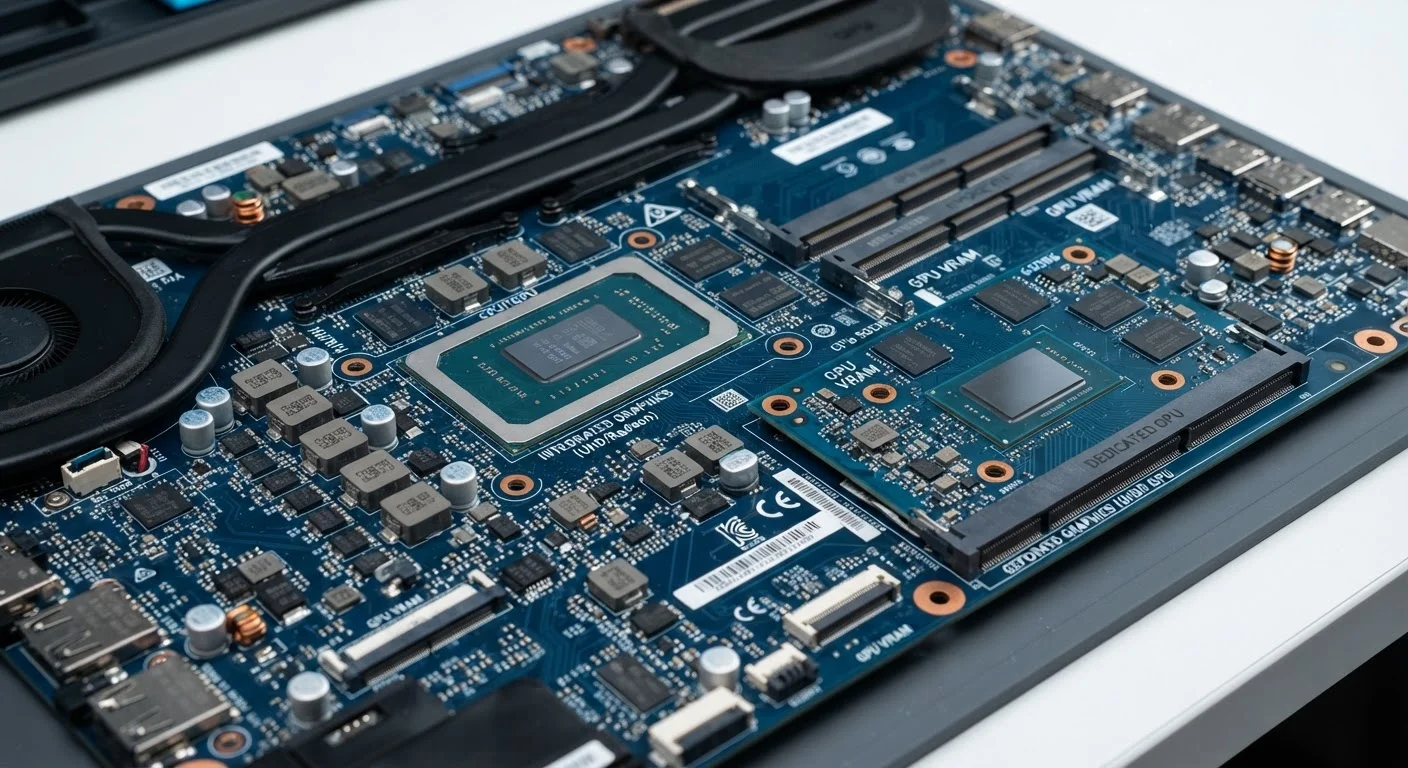
Integrated graphics are built directly into the same chip as the processor (CPU). They share your computer's main system RAM rather than having their own dedicated memory. Because they're built in, they're compact, inexpensive, and energy-efficient. Most laptops sold today - and many desktops - rely on integrated graphics for everyday use.
Dedicated graphics (also called discrete GPUs) are separate components with their own processing cores and their own onboard memory, called VRAM (video RAM). This separation means they can handle far more graphical data simultaneously without competing with the CPU for system resources. Dedicated GPUs are common in gaming laptops, workstations, and desktop PCs built for creative work.
Think of integrated graphics as a capable generalist, and a dedicated GPU as a specialized expert brought in for demanding jobs.
| Criterion | Integrated Graphics | Dedicated GPU |
|---|---|---|
| Location | Built into the CPU | Separate component |
| Memory | Shares system RAM | Own onboard VRAM |
| Performance level | Moderate, for everyday tasks | High, for demanding workloads |
| Power consumption | Low | High |
| Battery impact (laptops) | Minimal | Significant |
| Cost added to system | None (included in CPU) | Moderate to significant |
| Gaming capability | Low settings only | Medium to ultra settings |
| Video editing support | Basic 1080p editing | 4K and effects-heavy timelines |
Where Integrated Graphics Are Enough
The honest answer is that integrated graphics cover the vast majority of what most Americans do on a computer every day. Web browsing, video calls, word processing, spreadsheets, and streaming services like Netflix or YouTube all run without issue on modern integrated graphics.
Even some light photo editing and casual gaming at low settings can be manageable, particularly with newer integrated graphics found in recent processor generations, which have improved noticeably over older designs. If portability and battery life are priorities - and for many laptop users, they are - integrated graphics offer a meaningful advantage. They draw less power, generate less heat, and add no extra weight.
For students, remote workers, and anyone whose computer is primarily a productivity and communication tool, a dedicated GPU is generally unnecessary and may simply add cost without delivering noticeable benefit in day-to-day use. See how storage choices similarly affect everyday performance in our guide to SSD vs. HDD.
~70%
Laptops shipped with integrated-only graphics
Industry analyst estimates consistently show the majority of consumer laptops rely solely on integrated graphics, reflecting their suitability for mainstream workloads.
5-10×
Typical performance gap, integrated vs. dedicated GPU
Benchmark databases such as PassMark show entry-level dedicated GPUs commonly outperforming integrated graphics by a factor of five to ten in graphical workloads.
15-30%
Battery life reduction with dedicated GPU active
Laptop reviews from outlets such as Laptop Mag and Tom's Hardware regularly document this range of battery drain when the dedicated GPU is in active use.
When a Dedicated GPU Makes a Real Difference
Certain workloads place demands on a GPU that integrated graphics simply cannot meet. Here's where a dedicated GPU shifts from a luxury to a practical necessity:
- PC gaming above low settings: Modern games render complex 3D environments in real time. Integrated graphics lack the VRAM and processing cores needed to maintain smooth frame rates at medium or high graphical settings.
- Video editing at high resolutions: Software like Adobe Premiere Pro and DaVinci Resolve uses a technique called GPU acceleration to speed up rendering, playback, and export. A dedicated GPU can cut export times from hours to minutes on complex projects.
- 3D modeling and CAD: Applications such as AutoCAD or Blender rely on the parallel processing power of a dedicated GPU to render complex models and simulations accurately and quickly.
- Machine learning tasks: Training AI models locally requires the massive parallel computation that dedicated GPUs - particularly those with specialized cores - are designed to provide.
If your workflow falls into any of these categories, integrated graphics will create real bottlenecks, not just minor inconveniences. When deciding between a laptop and desktop setup for these tasks, the desktop vs. laptop comparison is also worth considering, since desktops often allow more powerful GPU options.
Many Laptops Include Both
A growing number of laptops feature both integrated and dedicated graphics, switching automatically based on the task at hand. During light workloads, the system uses the energy-efficient integrated chip; under heavy load, it switches to the dedicated GPU. This hybrid approach, sometimes called switchable graphics, aims to balance performance and battery life. Check your laptop's specifications or power management settings to understand how this works on your specific device.
The content on this site is for informational purposes only and is not a substitute for professional advice. Always consult a qualified professional for guidance specific to your situation.