

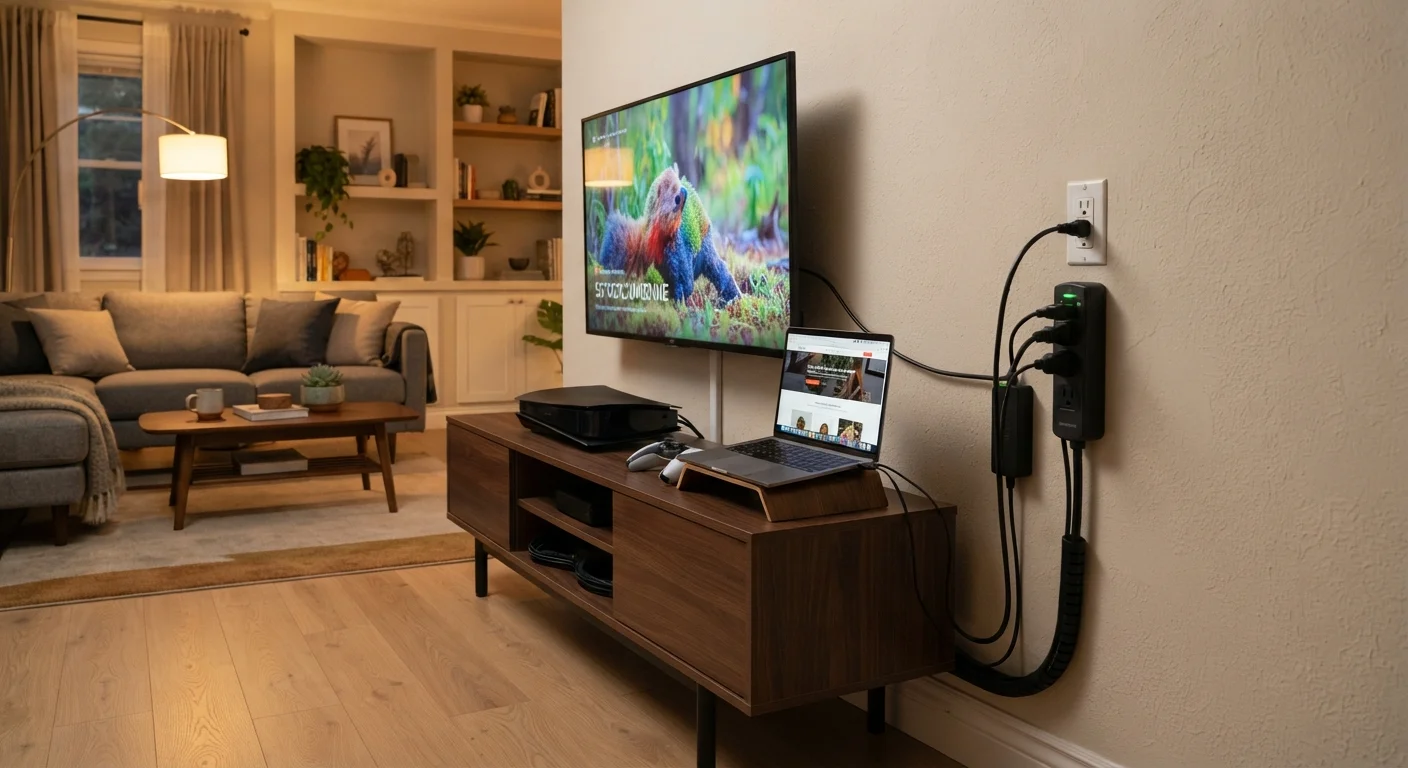
Why Power Surges Are a Hidden Threat to Your Electronics
Most homeowners associate power surges with lightning, but the majority of everyday surges actually originate inside the home. When a large appliance like a refrigerator, air conditioner, or clothes dryer cycles its motor on or off, it briefly disrupts the local voltage on your circuits. These small spikes happen quietly and repeatedly, and over time they degrade the internal components of anything plugged into the same electrical system - including your TV, laptop, smart speakers, and router.
External surges from the utility grid - caused by switching activity at a power substation or a lightning strike near a power line - tend to be larger and more immediately damaging. Either way, the result is the same: electronics wear out faster or fail suddenly. Understanding the two main layers of protection available to you - surge protectors and UPS units - goes a long way toward keeping your devices running longer. For a broader look at device longevity habits, see Getting More Life Out of Your Home Electronics.
~80%
Surges originating inside the home
Industry estimates from electrical safety organizations suggest the majority of power surge events are generated internally by household appliances, not by external weather or utility events.
3-5 years
Typical surge protector replacement interval
Electrical safety guidance generally recommends replacing surge protectors on this schedule, or sooner if the unit has absorbed a known large surge or its indicator light has gone dark.
1,000+ Joules
Recommended minimum Joule rating for computers
Consumer electronics protection guidelines commonly cite this threshold as a baseline for devices like desktop computers and home theater systems.
Surge Protectors: Your First Line of Defense
A surge protector works by routing power through a component called a Metal Oxide Varistor, or MOV. When voltage spikes above a set threshold, the MOV redirects the excess energy away from your connected devices. This happens in nanoseconds - far faster than any circuit breaker could respond.
The key number to look for when shopping is the Joule rating. This figure represents the total amount of surge energy the unit can absorb across its lifetime. Once that capacity is used up, the unit may still function as a power strip but no longer offers surge protection. Many quality models include a status indicator light that signals when protection has been exhausted.
Check for the Indicator Light Before You Buy
When choosing a surge protector, look for a model that includes a protection status indicator - a light that stays on while the MOV is still functional and goes dark when capacity is exhausted. This small feature removes the guesswork about whether your device is still doing its job. Some models also include an audible alarm.
For everyday electronics like smart TVs, streaming sticks, game consoles, and smart home hubs, a surge protector with a rating of 1,000 Joules or more offers a solid baseline. Computers and home theater equipment, which tend to be more expensive and sensitive, warrant protectors rated at 2,000 Joules or higher. You can find plain-language definitions for more electronics terminology in our Home Electronics Glossary.
UPS Units: Adding Battery Backup to the Equation
A UPS - short for Uninterruptible Power Supply - does everything a surge protector does, and adds one important feature: an internal battery that keeps your devices running for a short period when the power goes out. That runtime is typically measured in minutes rather than hours, but it's enough time to save your work and shut down a computer properly, or to ride out a brief outage without losing your internet connection.
UPS units are especially valuable for:
- Desktop computers - an abrupt shutdown can corrupt files or damage storage drives.
- NAS (network-attached storage) drives - home servers storing photos, videos, or backups are particularly vulnerable to unclean shutdowns.
- Home office equipment - routers, modems, and VoIP phones used for work can keep running through short outages.
UPS units are rated in volt-amps (VA) or watts. A higher rating means more devices supported and a longer runtime. Most home users find that a unit in the 600-1500 VA range covers a desktop computer and a monitor comfortably. The battery inside a UPS typically needs replacement every three to five years. For context on how your home's wiring relates to all of this, see Understanding Your Home's Electrical Panel.
UPS Battery Replacement Is a Maintenance Task
The sealed lead-acid or lithium batteries inside a UPS degrade with age, regardless of how often they're used. Most manufacturers recommend replacing the battery every three to five years. Many UPS units signal when the battery is failing through an audible beep or a front-panel warning light. Skipping this maintenance means the unit may no longer provide backup power even if it appears operational.
Building a Practical Power Protection Strategy
The right combination of protection depends on what you're protecting and where. Here's a practical framework for most households:
- Entertainment systems and smart home devices: A quality surge protector is the right tool. Make sure it has a Joule rating printed on the packaging - a plain power strip does nothing to protect against surges.
- Desktop computers and home office equipment: Use a UPS. The battery backup prevents data loss and gives you a controlled shutdown window when the power cuts.
- Laptops: Built-in batteries already provide a buffer against power interruptions, so a surge protector is usually sufficient - though a UPS can still protect the charger and the laptop while plugged in.
- Whole-home surge protection: Consider having a licensed electrician install a whole-home surge protector at your main electrical panel. This guards against surges entering from outside and is especially worthwhile in areas prone to electrical storms.
Thinking about power protection as a layered system - panel-level protection plus individual device-level protectors - gives you the most comprehensive coverage. For everything that connects in a modern home, this fits into a bigger picture covered in Everything Home Electronics.
Frequently Asked Questions
A power strip is simply a multi-outlet extension cord with no protective components. A surge protector contains a component called a Metal Oxide Varistor (MOV) that absorbs excess voltage before it reaches your devices. Always look for a Joule rating on the packaging - if there isn't one, it likely offers no surge protection.
Surge protectors don't last forever because each absorbed surge consumes part of their Joule capacity. Many models include an indicator light that goes dark when protection is depleted. As a general guideline, replacing surge protectors every three to five years is a reasonable habit, though heavy surge activity shortens that window.
A UPS is most valuable for devices where an abrupt power cut causes real harm - desktop computers that can lose unsaved work, NAS (network-attached storage) drives that can corrupt data, or home office equipment mid-task. For TVs and most smart speakers, a surge protector alone is typically sufficient.
Standard plug-in surge protectors are not designed to handle the enormous energy of a direct lightning strike. The safest approach during a severe electrical storm is to unplug high-value electronics entirely. Whole-home surge protectors installed at the electrical panel add a meaningful extra layer but are also not a guaranteed defense against a direct strike.
The Joule rating represents how much total surge energy the protector can absorb over its lifetime before its protection is exhausted. Higher Joule ratings mean more capacity. For computers and entertainment systems, look for ratings of 1,000 Joules or more.
Whole-home surge protection, installed by a licensed electrician at the main electrical panel, guards against surges entering from the utility line - the source of the largest surge events. It works alongside individual device-level surge protectors rather than replacing them, since internal surges from appliances still need point-of-use protection.
The content on this site is for informational purposes only and is not a substitute for professional advice. Always consult a qualified professional for guidance specific to your situation.