

Our Verdict
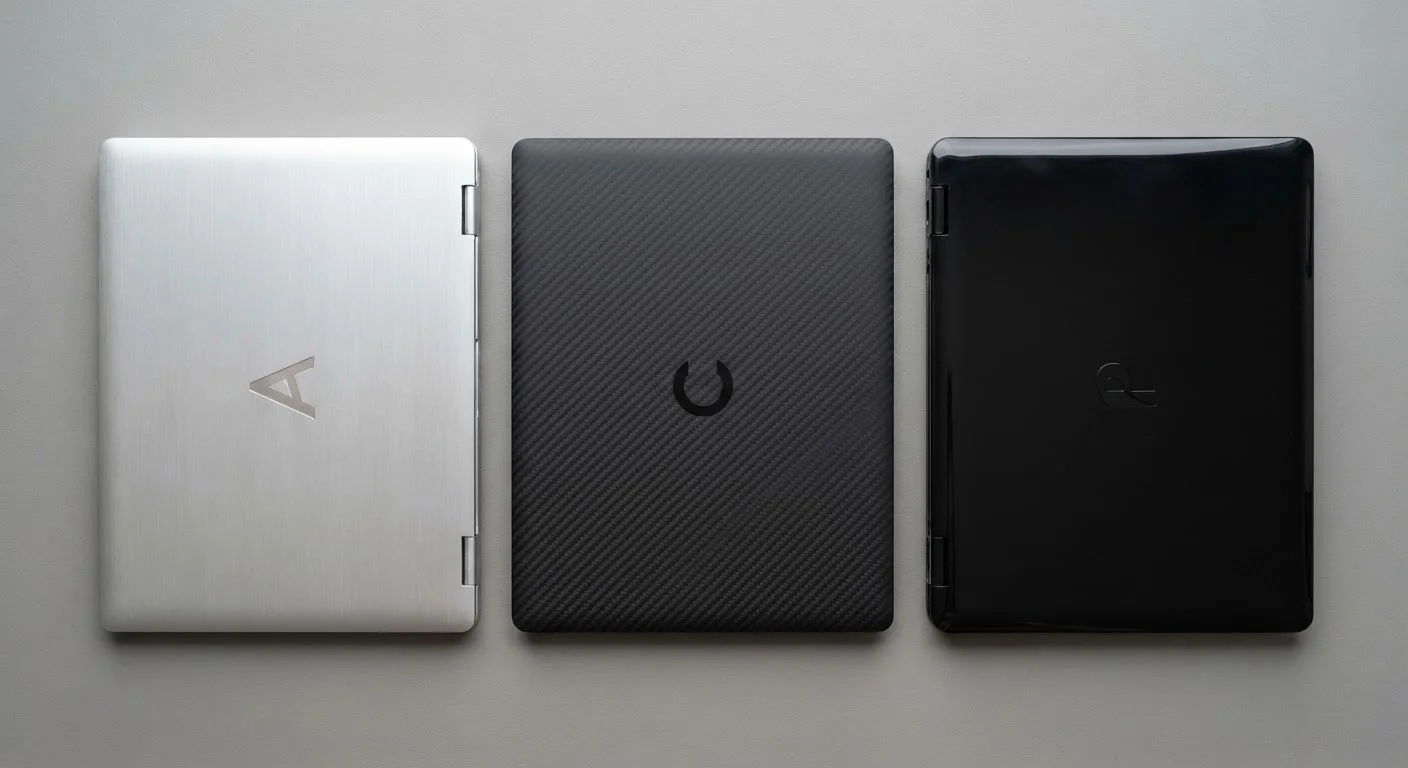
Laptop build materials involve genuine trade-offs between weight, durability, cost, and repairability - there is no objectively correct answer. Aluminum suits users who prioritize rigidity and longevity in a professional setting. Plastic makes practical sense for budget-conscious buyers or those who plan to upgrade frequently. Carbon fiber is a strong choice when weight is the top priority and budget allows.
This guide is most useful for commuters, students, and remote workers evaluating whether a lighter or sturdier laptop justifies a higher price tag.
Why Build Material Is More Than a Cosmetic Choice
When you're comparing laptops on a spec sheet, it's tempting to focus on processor speed, RAM, or storage. But the chassis material - the shell that holds everything together - shapes the day-to-day experience just as much as those internal specs.
Material affects how much your bag weighs on a long commute, how well the laptop survives a minor drop, how it manages heat from internal components, and yes, how much it costs. Understanding the trade-offs helps you prioritize what actually matters for how you use a computer. For a broader look at how form factor decisions stack up, see our guide comparing laptops and desktops.
The Three Most Common Laptop Materials
Aluminum (Magnesium-Aluminum Alloys)
Aluminum is widely used in mid-range to premium laptops. It's stiffer than plastic, which reduces lid flex and keyboard deck flex - that subtle bending you feel when you press down firmly. Aluminum also conducts heat reasonably well, helping dissipate warmth from internal components toward the surface and vents.
The trade-off: aluminum is denser than plastic and carbon fiber, so an all-aluminum chassis adds weight. It also dents rather than flexing on impact, which can look worse cosmetically even when the laptop survives functionally. Manufacturing costs are higher, which contributes to a steeper price.
Polycarbonate and ABS Plastic
Plastic chassis are common in entry-level and budget laptops. Modern polycarbonate can be surprisingly durable - it absorbs impact energy by flexing rather than denting, which sometimes makes it more forgiving in drop scenarios than metal. Plastic is also lighter per volume than aluminum and significantly cheaper to mold into complex shapes.
The downside is rigidity: plastic lids and keyboard decks flex more noticeably, and cheaper formulations can feel hollow or creak over time. Heat dissipation is also less effective through plastic, which can matter in sustained workloads.
Carbon Fiber and Composites
Carbon fiber - often combined with other materials in a composite weave - delivers an impressive strength-to-weight ratio. Laptops using carbon fiber panels can be both rigid and notably light. The material doesn't conduct heat like metal, so thermal design matters more.
The primary barrier is cost: carbon fiber manufacturing is labor-intensive, and those expenses pass to the consumer. You'll typically find it in ultralight business or professional laptops where low weight is a defined engineering goal.
~1.3 lbs
Typical weight difference: lightest vs. average 13" laptops
Consumer teardown and specification data consistently shows a spread of roughly 1-1.5 lbs between the lightest ultrabooks and standard mid-range 13-inch models of similar screen size.
3-5×
Strength-to-weight ratio advantage of carbon fiber over steel
Materials science references generally cite carbon fiber composites as having a tensile strength-to-weight ratio three to five times greater than structural steel, explaining its use in weight-sensitive applications.
Practical Trade-Offs You'll Actually Feel
Weight is the most immediate variable. A laptop that weighs 2.2 lbs versus one at 3.5 lbs may seem minor on paper, but across a five-day commute week that difference accumulates in shoulder strain and bag fatigue. Ultrabooks - thin, light laptops designed for portability - often combine magnesium alloys or carbon fiber specifically to hit sub-3-lb targets.
Repairability is another underappreciated factor. Some premium aluminum unibody designs - carved from a single block of metal - bond components together in ways that make screen replacement or battery swaps difficult without professional help. Plastic chassis sometimes offer easier access panels. If you expect to service the laptop yourself, check repairability ratings before committing. The pre-purchase checklist covers this among other things worth verifying before you buy.
Thermal performance is subtler but real. Metal bodies help move heat away from sensitive components passively; plastic acts more as an insulator. For light tasks - web browsing, documents, video calls - this rarely matters. For sustained video editing or gaming, it can influence how aggressively the cooling system has to work, which affects fan noise and performance consistency.
Weight and Battery Life Interact
A lighter chassis sometimes means a smaller battery cell to keep total weight down - so the laptop that weighs less on your shoulder may also run out of charge sooner. Always compare rated battery capacity (watt-hours) alongside weight when evaluating ultralight models. For a fuller picture of how manufacturers quote battery life versus real-world results, see our battery life explainer.
Weighing the Pros and Cons
Each material category brings clear strengths and limitations. Understanding them helps you match the chassis to your actual workload, carry habits, and budget - rather than defaulting to whichever feels premium at first glance.
Aluminum offers excellent rigidity and a solid feel
A stiffer chassis reduces flex in the lid and keyboard deck, which improves typing confidence and protects the display during transit.
Plastic models are lighter on the budget
Polycarbonate chassis cost less to produce, making capable hardware more accessible at lower price points without necessarily sacrificing core performance specs.
Carbon fiber delivers strong weight savings
Laptops with carbon fiber panels can weigh significantly less than aluminum equivalents of similar size, reducing daily carry fatigue for commuters and frequent travelers.
Plastic absorbs impact energy by flexing
Rather than denting permanently like metal, polycarbonate can deform slightly on impact and return to shape, sometimes offering better real-world drop resilience.
Aluminum aids passive heat dissipation
Metal conducts heat away from internal components toward vents and the chassis surface, which can support quieter fan operation during moderate workloads.
Aluminum adds measurable weight to the chassis
Denser than plastic or carbon fiber by volume, aluminum contributes to a heavier overall laptop - a meaningful factor for anyone carrying their device daily.
Carbon fiber commands a significant price premium
The manufacturing complexity of carbon fiber composites is reflected in retail pricing, placing these laptops beyond the reach of budget-conscious shoppers.
Plastic chassis flex and creak over time
Lower-grade plastics lose rigidity with age and repeated opening and closing, leading to noticeable flex in the lid and keyboard area that some users find distracting.
Premium unibody designs can limit repairability
Machined aluminum unibody construction often bonds components in ways that make battery replacement or screen repairs difficult and potentially expensive without specialist tools.
Plastic dissipates heat less effectively
Because plastic insulates rather than conducts, heat management relies more heavily on active cooling fans, which may run louder or more frequently during intensive tasks.
For additional context on specs that interact with build decisions - like how storage type affects a laptop's overall feel of snappiness - see how SSD and HDD choices compare. And if spec sheet language is slowing you down, the laptop spec glossary translates 30 common terms into plain language.
The content on this site is for informational purposes only and is not a substitute for professional advice. Always consult a qualified professional for guidance specific to your situation.