

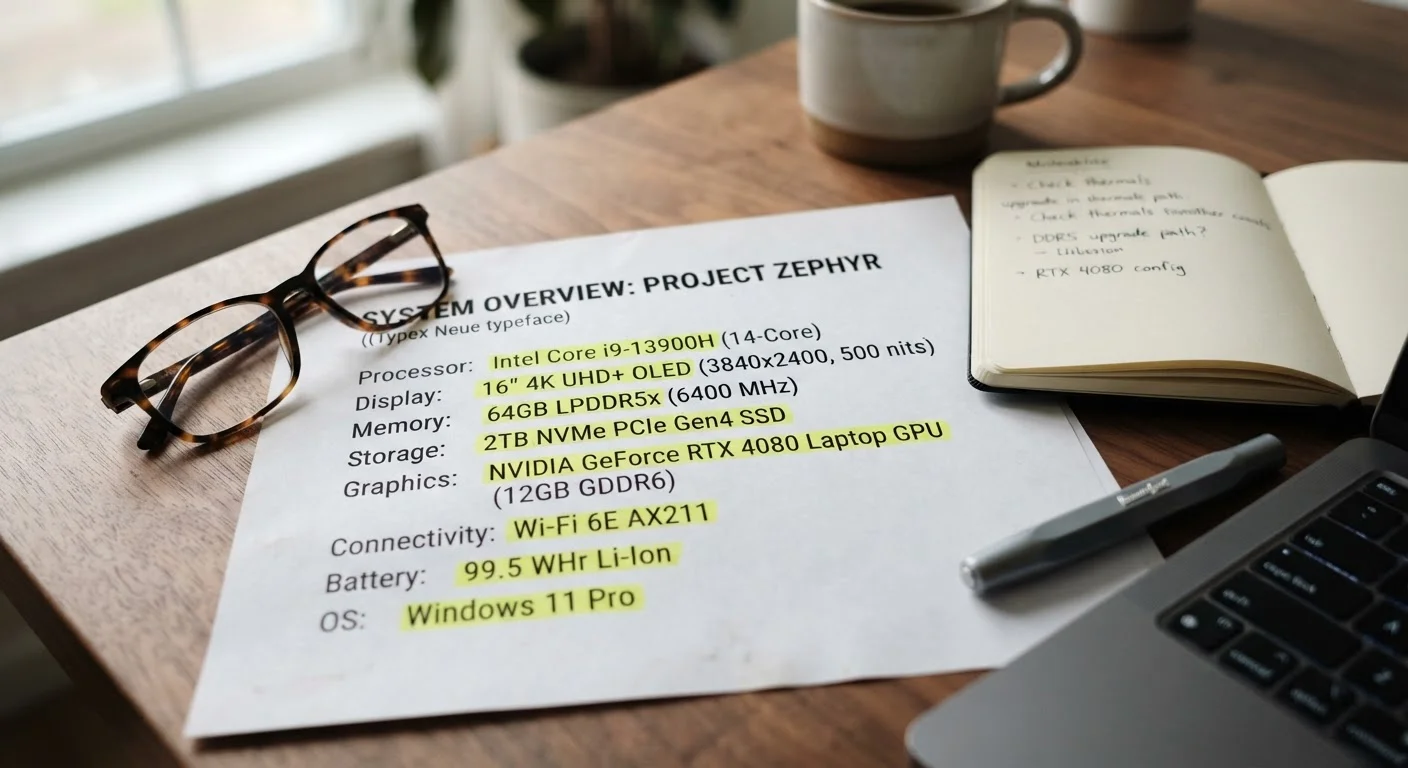
Why Laptop Spec Sheets Are So Hard to Read
Laptop listings are dense with abbreviations, measurement units, and technical shorthand that manufacturers rarely bother to explain. Terms like TDP, eMMC, and nits appear without context, leaving most shoppers guessing. This glossary defines 30 of the most common spec-sheet terms in plain language so you can actually use them when comparing options.
For a deeper look at how the three biggest specs - RAM, storage, and processor speed - interact in everyday use, see our plain-English breakdown of what each one actually does.
| Terms Covered | 30 laptop spec-sheet terms |
| Common Display Brightness Baseline | ~300 nits (indoor use) (General industry convention) |
| Typical Entry-Level RAM | 8 GB (Common spec across mainstream laptops) |
| NVMe vs. SATA SSD Speed Difference | 3-5× faster reads (Approximate based on published drive benchmarks) |
| Standard Refresh Rate | 60 Hz (Most mainstream laptop displays) |
| eMMC vs. SSD | eMMC is significantly slower (Common performance distinction in budget segment) |
Processor and Performance Terms
These specs describe how fast and efficiently a laptop handles tasks.
- CPU (Central Processing Unit)
- The main chip that executes instructions. Think of it as the laptop's brain. More cores generally mean better multitasking.
- Core
- A processing unit within a CPU. A 4-core chip can handle four tasks simultaneously; an 8-core chip handles eight.
- GHz (Gigahertz)
- Clock speed - how many cycles per second a processor completes. Higher GHz often means faster single-task performance, but core count and chip architecture also matter.
- TDP (Thermal Design Power)
- Measured in watts, TDP indicates how much heat a chip generates under load - and indirectly signals its performance tier. Higher TDP usually means more power, but also more heat and shorter battery life.
- GPU (Graphics Processing Unit)
- A chip dedicated to rendering visuals. An integrated GPU shares system memory; a dedicated (or discrete) GPU has its own memory and handles demanding graphics tasks like gaming or video editing far better.
- Integrated Graphics
- Graphics processing built into the same chip as the CPU. Suitable for everyday tasks and streaming, but limited for graphics-intensive work.
- Cache
- Ultra-fast memory built into the processor that stores frequently accessed data. Larger cache (measured in MB) can reduce lag in repetitive tasks.
Memory and Storage Terms
These specs govern how much your laptop can do at once and how quickly it loads files.
RAM
Short-term working memory that holds active programs and data. More RAM lets you multitask more smoothly without slowdown.
SSD
Solid-State Drive - storage using flash memory chips. Much faster at loading files and booting the OS than traditional spinning hard drives.
eMMC
Embedded MultiMediaCard - a slower, budget-tier storage type soldered directly to the motherboard. Common in entry-level laptops.
NVMe
Non-Volatile Memory Express - a fast protocol for SSDs that dramatically outpaces older SATA connections in data transfer speed.
DDR
Double Data Rate - the RAM standard type. Higher generations (DDR4, DDR5) indicate faster and more efficient memory modules.
WHr
Watt-hour - the unit measuring battery capacity. A higher number generally indicates a larger battery and longer potential runtime.
For a focused comparison of drive types, our article on SSD vs. HDD explains the real-world difference in speed, durability, and cost.
- RAM (Random Access Memory)
- Short-term working memory. More RAM lets you run more programs simultaneously without slowdown. 8 GB is a common baseline; 16 GB suits heavier workloads.
- DDR (Double Data Rate)
- The RAM standard. DDR4 and DDR5 are current generations - higher numbers indicate faster, more efficient memory.
- SSD (Solid-State Drive)
- Storage that uses flash chips instead of spinning disks. Faster boot times, quieter operation, and greater shock resistance than traditional hard drives.
- HDD (Hard Disk Drive)
- Traditional spinning-platter storage. Generally slower than SSDs but often available in larger capacities at lower cost.
- eMMC (embedded MultiMediaCard)
- A slower, soldered-in storage type common in budget laptops. Adequate for light tasks but noticeably slower than an SSD for everyday file access.
- NVMe (Non-Volatile Memory Express)
- A fast communication protocol for SSDs. An NVMe SSD transfers data significantly faster than an older SATA SSD - look for it if speed matters.
Display and Battery Terms
These specs determine what you see and how long the laptop lasts unplugged.
- Resolution
- The number of pixels displayed horizontally by vertically (e.g., 1920×1080). Higher resolution means sharper images. FHD (Full HD) is 1920×1080; QHD is 2560×1440; 4K is 3840×2160.
- Nits
- A unit of brightness. Higher nits make a screen easier to see in bright environments. Around 300 nits suits indoor use; 400+ is better for outdoor or well-lit spaces.
- Refresh Rate (Hz)
- How many times per second the display updates. 60 Hz is standard; 120 Hz or higher produces smoother motion, especially noticeable in video and gaming.
- IPS Panel
- A display technology offering wide viewing angles and accurate colors. Common in mid-range and higher-end laptops.
- OLED
- A display type where each pixel produces its own light, enabling true blacks and vivid contrast. Generally found in premium models.
- Touch Screen
- A display that responds to finger input. Useful for stylus work or tablet-style use in 2-in-1 laptops; adds cost and can reduce battery life.
- WHr (Watt-Hour)
- Battery capacity. A higher WHr rating generally means longer potential battery life, though actual runtime also depends on screen brightness, workload, and chip efficiency.
- Watt (W) - Charger
- The power output of an included charger. Higher wattage charges faster. USB-C chargers now use a standard called PD (Power Delivery) to negotiate output.
Before committing to any laptop, our checklist of things worth verifying before you bring a laptop home covers display quality, battery health, and port selection in practical terms.
Connectivity and Build Terms
These specs describe how the laptop connects to other devices and what it's made of.
- USB-A
- The traditional rectangular USB port. Still common for mice, keyboards, and flash drives.
- USB-C
- A smaller, reversible connector that can carry data, video, and power over a single cable - depending on the version and device support.
- Thunderbolt
- A high-bandwidth port standard (using a USB-C connector) that supports very fast data transfer, external monitors, and docking stations. See our full ports and connectivity reference for a complete breakdown.
- Wi-Fi 6 / Wi-Fi 6E
- Current wireless networking standards. Wi-Fi 6 improves speed and efficiency on crowded networks; Wi-Fi 6E adds a 6 GHz band for even less interference.
- Bluetooth Version
- Governs wireless connections to headphones, mice, and keyboards. Bluetooth 5.0 and higher offer better range and lower energy consumption than older versions.
- Chassis Material
- The outer shell material. Aluminum is rigid and premium; polycarbonate (plastic) is lighter and cheaper but less rigid; carbon fiber is light and strong but expensive. Our article on laptop weight and build materials explains the trade-offs in full.
- MIL-SPEC (MIL-STD-810)
- A U.S. military durability testing standard. Laptops that pass a subset of these tests are marketed as more resistant to drops, vibration, humidity, and temperature extremes - though real-world durability still varies.
MIL-SPEC Doesn't Mean Indestructible
When a laptop is described as MIL-SPEC or MIL-STD-810 tested, it means the device passed certain environmental stress tests - not that it can survive any real-world drop or spill. Manufacturers choose which specific tests to run, so the standard varies between products. Always read what conditions were actually tested rather than treating the label as a blanket durability guarantee.
If you're also researching phone specs, many of the same terms - nits, RAM, GHz - appear on smartphone spec sheets with slightly different implications worth understanding separately.
The content on this site is for informational purposes only and is not a substitute for professional advice. Always consult a qualified professional for guidance specific to your situation.