

Why Storage Capacity Is One of the Most Consequential Choices You'll Make
When comparing smartphones, it's easy to get distracted by processor speed or camera megapixels. But storage capacity has a uniquely permanent impact: unlike some other limitations you can work around, a phone that runs out of room can't simply be patched or upgraded. As our pre-purchase checklist notes, storage is one of the first things worth locking down before committing to a new device.
The market currently sells smartphones in tiers that typically run 64GB, 128GB, 256GB, and 512GB (with some models reaching 1TB). Each tier looks similar on the shelf but behaves very differently over a two-to-three-year ownership period. The right number isn't universal - it depends entirely on how you actually use a phone day to day.
Storage Cannot Be Expanded Later
Unlike RAM on a laptop, smartphone storage is soldered to the motherboard on virtually all current flagship and mid-range phones. Once you buy a 64GB model, you cannot add more internal storage. Make sure to choose a capacity that gives you room to grow over the full time you plan to keep the phone.
For a broader look at how storage fits alongside other specs like RAM and processing power, see our guide on decoding smartphone specs.
What Actually Eats Your Storage
Understanding the four main storage categories helps you estimate your own needs more accurately:
- Photos and videos: Usually the largest consumer for most users. High-resolution camera systems produce large files, and 4K video in particular accumulates fast.
- Apps and games: Productivity apps are small, but mobile games can each consume several gigabytes. Social media apps also grow over time as cached data accumulates.
- Offline content: Downloaded music playlists, podcast episodes, Netflix titles, and offline maps all occupy local storage. Heavy offline users may store 10-30GB this way without realizing it.
- System software: The operating system and pre-installed apps typically consume 10-20GB of the advertised capacity before you install a single thing.
Check Your Current Usage First
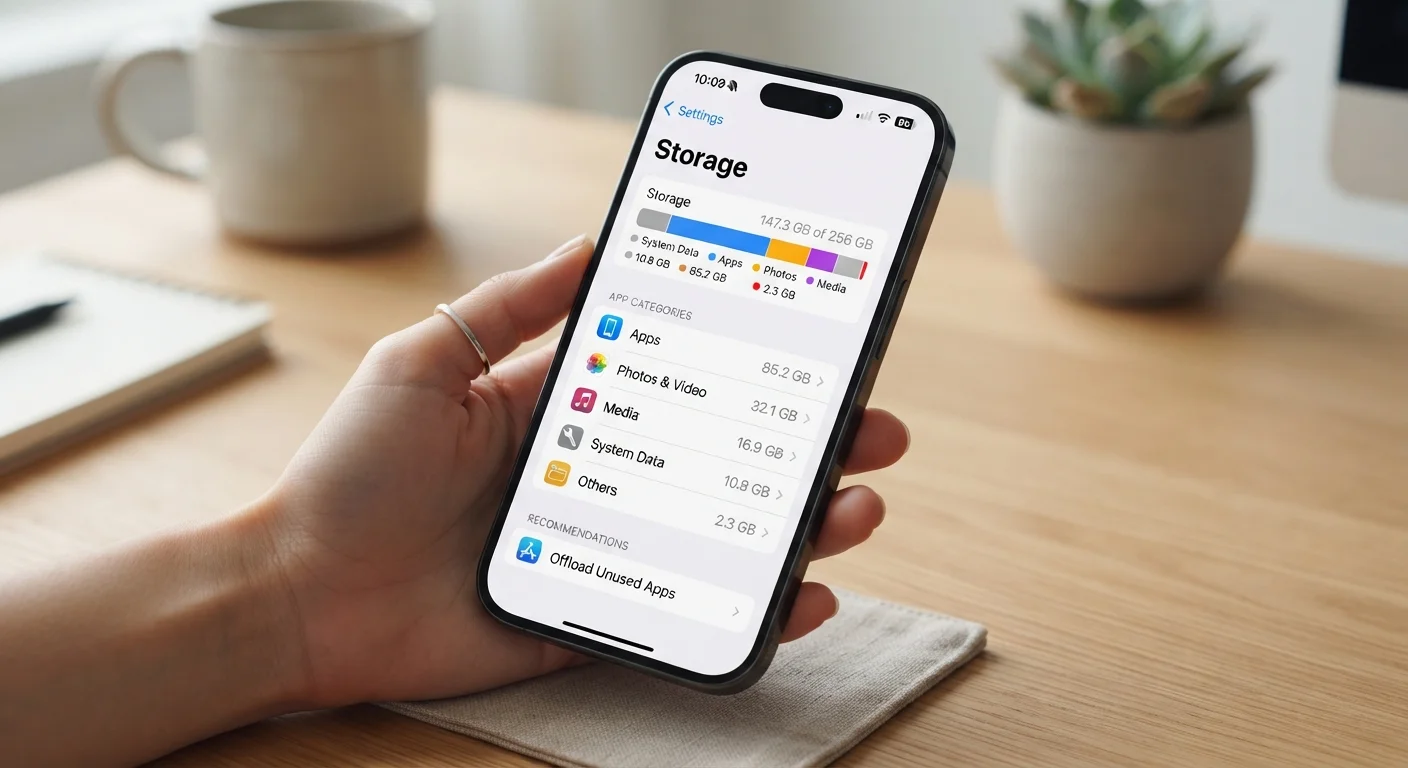
On an Android phone, go to Settings > Storage to see a breakdown by category. On an iPhone, go to Settings > General > iPhone Storage. These screens show exactly how much space photos, apps, messages, and media are consuming - giving you a real baseline rather than a guess.
It's also worth noting that storage health relates directly to how long your phone stays useful. Our article on smartphone longevity covers how usage habits - including storage management - affect how a device holds up over time.
Low Storage Slows Down Your Phone
When internal storage fills up past roughly 85-90% capacity, most operating systems slow down noticeably because they rely on free space for temporary files and system operations. Consistently running near-full storage can cause app crashes, failed updates, and sluggish performance - not just inconvenience.
How to Assess Your Needs: Step by Step
The steps below walk you through a structured approach to matching a storage tier to your actual habits. You'll need a few minutes with your current device and a basic sense of how you use your phone.
What you will need
Your current smartphone
Used to audit your existing storage usage and establish a realistic baseline for your needs.
Cloud storage service (e.g., iCloud, Google Photos, OneDrive)
Offloads photos and videos from local storage, potentially reducing the capacity tier you need.
Audit your current device's storage
Navigate to your phone's storage settings and note how much space each category - photos, apps, videos, messages - is currently using. Write down the total used and what's consuming the most space. This single step gives you more useful information than any spec sheet.
Estimate your photo and video habits
Photos taken on modern smartphones typically range from 3MB to 15MB each, depending on resolution and format. A one-minute 4K video can occupy 300MB to 500MB. Count roughly how many photos and videos you take per month and multiply by 12 to get an annual estimate - then factor in how long you keep the phone before deleting or backing up.
Inventory the apps you actually use
Large games can occupy 2-8GB each. Streaming apps that allow offline downloads (music, podcasts, maps, video) add up quickly if you store content locally. List your must-have apps and check their current sizes. Focus on games and offline media - productivity apps are generally small.
Decide how much you'll rely on cloud backup
Cloud services can automatically back up and remove local copies of photos and videos, dramatically reducing what stays on the device. However, this only works well with a consistent internet connection and an active subscription. If you travel internationally, have unreliable connectivity, or prefer not to pay ongoing fees, you'll need more local storage to stay self-sufficient.
Apply a practical storage tier to your profile
Use your findings from the steps above to match yourself to a storage tier:
- 64GB: Suitable only if you back up aggressively to the cloud, take few photos, and don't install large games. Increasingly uncommon in current models for good reason.
- 128GB: A reasonable fit for most everyday users - social media, moderate photography, a handful of apps, and cloud backup enabled.
- 256GB: A comfortable choice for enthusiast photographers, travelers who need offline maps and media, or anyone who keeps a phone for three or more years.
- 512GB+: Warranted for heavy video creators, gamers with large libraries, or power users who work extensively from their phone without cloud reliance.
If you're also weighing other hardware trade-offs - such as screen size - our guide on phone screen size trade-offs covers how different form factors affect daily use. And for those comparing phone needs to laptop or tablet decisions, the same logic that applies here also shows up in our breakdown of how much RAM everyday tasks require.
The content on this site is for informational purposes only and is not a substitute for professional advice. Always consult a qualified professional for guidance specific to your situation.