

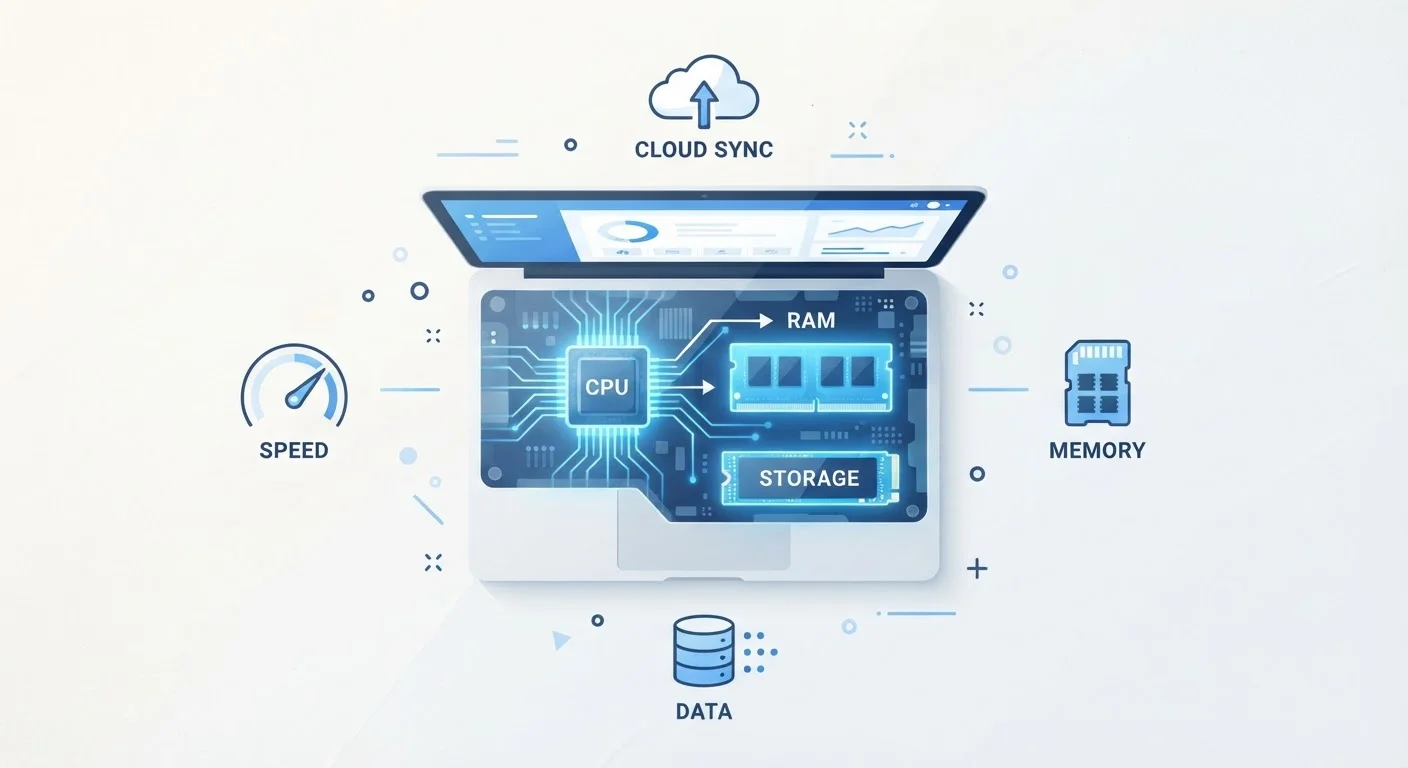
RAM: Your Computer's Short-Term Working Memory
Think of RAM as your desk surface. The larger the desk, the more projects you can spread out and work on simultaneously without constantly shuffling things in and out of a filing cabinet. When you open a web browser, a spreadsheet, and a music app at the same time, your computer stores the active data from all three in RAM so it can switch between them instantly.
When RAM runs low, your computer compensates by using a section of your storage drive as a slower substitute - a process called virtual memory or paging. This is why an underpowered system feels sluggish when you have too many browser tabs open: it's essentially borrowing from a much slower resource.
For general everyday use - browsing, email, document editing, video streaming - 8 GB of RAM is a functional baseline. Users who run creative tools, keep dozens of browser tabs open, or work with large data files will typically notice tangible benefits from 16 GB or more.
Prioritize SSD Over Capacity When Budgeting
If you're choosing between a larger HDD and a smaller SSD at a similar price point, the SSD will almost always make your daily experience feel faster. You can supplement storage with an external drive or cloud service for files you don't need instant access to.
RAM specs are also relevant on smartphones. Our smartphone specs guide explains how phone RAM compares to what you find on laptops.
Storage: Where Your Files Actually Live
Storage is often confused with RAM because both are measured in gigabytes (GB) or terabytes (TB). The critical difference: storage is permanent. When you save a document, download a photo, or install an app, it goes onto your storage drive and stays there when the computer powers off.
Two main types of storage matter for consumers today:
- SSD (Solid State Drive): Uses flash memory with no moving parts. Significantly faster, quieter, and more durable. Most modern laptops ship with SSDs.
- HDD (Hard Disk Drive): Uses spinning magnetic disks. Slower and more fragile but typically offers more capacity for a lower cost. Still common in desktop computers and external drives.
The type of storage often affects perceived speed more than raw capacity. A laptop with a modest CPU but a fast SSD will frequently feel more responsive than a higher-specced machine running an older spinning hard drive.
~5×
Speed advantage of SSD over HDD
SSDs typically deliver sequential read speeds roughly 5 times faster than traditional spinning hard drives, according to general industry benchmarks across consumer drives.
16 GB
RAM commonly recommended for multitaskers
Many consumer technology publications and hardware analysts cite 16 GB as a practical sweet spot for users who run multiple demanding applications simultaneously.
2-3×
Performance uplift from architecture improvements
Major CPU architecture generations have historically delivered efficiency improvements that translate to meaningful real-world performance gains independent of clock speed alone.
For a deeper dive into how storage type fits into the broader landscape of laptop terminology, see our laptop spec sheet glossary.
Processing Speed: The CPU's Role in Getting Things Done
The CPU (Central Processing Unit) is the component that actually executes instructions - every calculation, rendering task, app launch, and file conversion runs through it. Processing speed is commonly described in gigahertz (GHz), which measures how many billions of cycles the processor completes each second.
However, GHz is only part of the picture. Modern CPUs include multiple cores - essentially independent processing units within a single chip. A processor with more cores can handle more tasks in parallel, which matters for demanding workloads like video editing, 3D rendering, or running virtual machines.
Architecture generation also plays a major role. Chip designers regularly improve the efficiency of each compute cycle, meaning a newer processor running at 3.0 GHz may comfortably outperform an older chip at 4.0 GHz. Our article on what processor generation numbers actually mean walks through this in detail.
GHz Alone Is Not a Reliable Speed Comparison
Comparing processors purely by GHz is only meaningful within the same chip family and generation. Across different brands or CPU generations, a higher GHz number does not guarantee better performance. Look at benchmark results and generation details for a more accurate picture.
The same principle applies to smartphones. The chipset inside a phone controls speed, power efficiency, and heat - concepts explored in what processor chip is inside your phone.
How These Three Specs Work Together
RAM, storage, and CPU speed operate as a system. A weakness in any one area can create a bottleneck - a point where one slow component holds back the others. A fast CPU paired with minimal RAM, for example, will stall while waiting for data to be swapped in and out of slower storage. Conversely, ample RAM can't rescue a severely underpowered processor on demanding tasks.
Matching specs to real-world usage is the most practical framework for evaluation:
- Light users (browsing, email, documents)
- Adequate RAM and a fast SSD matter more than raw CPU power.
- Multitaskers and remote workers
- Prioritize RAM capacity and a capable mid-range CPU.
- Content creators and power users
- CPU performance and RAM both become critical; storage speed also affects workflow.
Understanding these three specs as a team - not independent checkboxes - gives you a clearer lens for comparing options. For specs beyond the core three, the full laptop glossary covers additional terms you'll encounter on spec sheets.
Frequently Asked Questions
More RAM helps if you frequently run multiple programs at once or work with large files. However, if your CPU is slow, additional RAM won't compensate for that bottleneck. For most everyday tasks, 8-16 GB of RAM is sufficient.
RAM is temporary working memory - it holds data your computer is actively using right now. Storage is permanent space where your files, apps, and operating system live even when the computer is off. They serve completely different functions.
Not entirely. GHz measures clock speed - how many cycles per second the CPU completes - but the number of cores, architecture generation, and thermal design also heavily influence real-world performance. A newer CPU at a lower GHz can easily outperform an older, higher-GHz chip.
Yes, significantly. SSDs have no moving parts and access data electronically, making them far faster at reading and writing files than traditional spinning hard disk drives (HDDs). This is why computers with SSDs feel noticeably more responsive.
Identify your primary use case. If you run many apps simultaneously, prioritize RAM. If you store lots of photos, videos, or games, prioritize storage capacity and type. If you edit video or run demanding software, CPU performance becomes more critical.
Sometimes, but not always. Many modern laptops - especially thin and lightweight models - have RAM soldered to the motherboard, making it non-upgradeable. Storage is more commonly replaceable, but this varies by model. Check specifications before purchasing if upgradeability matters to you.
The content on this site is for informational purposes only and is not a substitute for professional advice. Always consult a qualified professional for guidance specific to your situation.