

Our Verdict
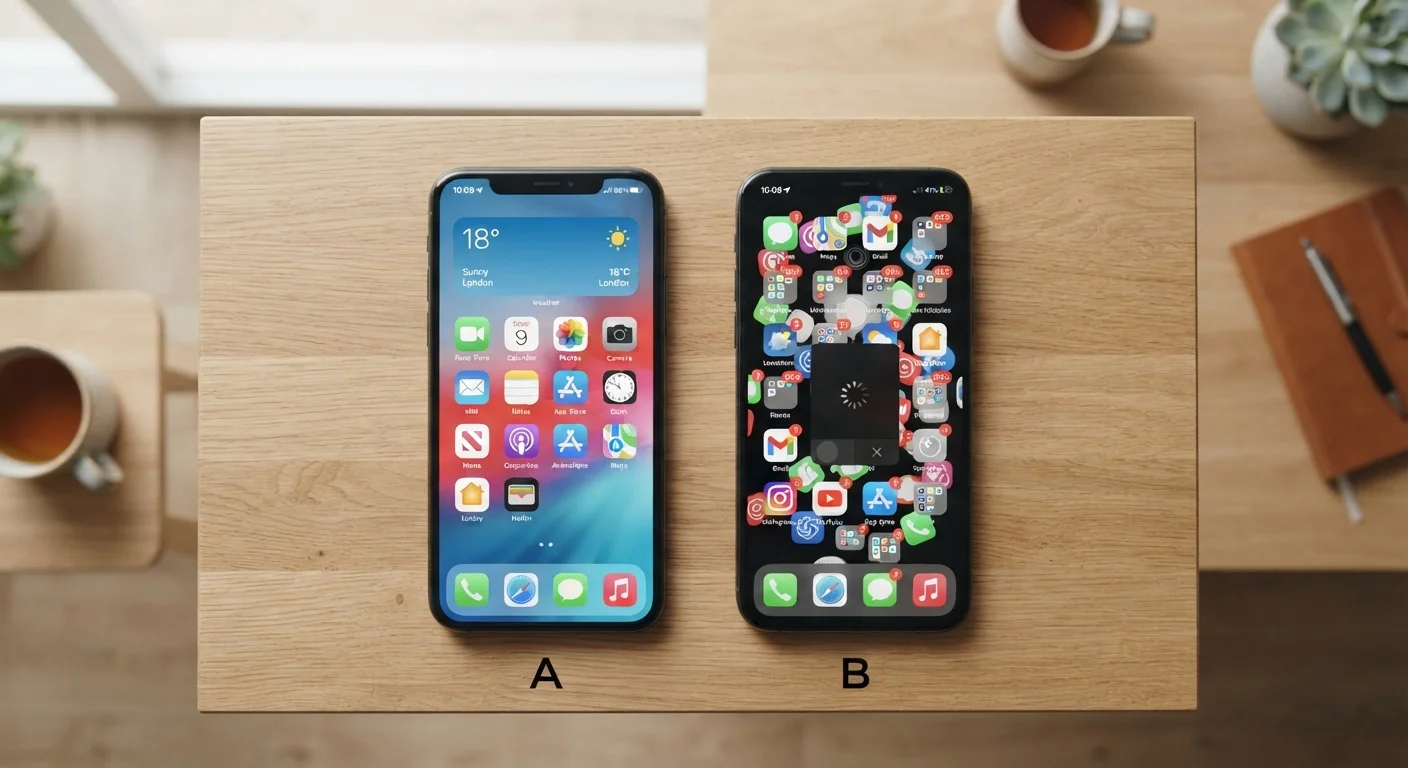
Two phones can share nearly identical processor, RAM, and camera specs yet deliver noticeably different daily experiences. The factors that shape how a phone actually feels - software polish, display tuning, thermal design, and build quality - rarely appear as a single number on a spec sheet. Understanding these hidden variables helps you evaluate phones more accurately than comparing megapixels alone.
| Best for | Recommended |
|---|---|
| Readers who prioritize smooth, consistent everyday performance | Focus on software optimization and update track record over raw spec numbers |
| Those who care deeply about display quality and visual comfort | Prioritize display calibration, panel type, and refresh rate over resolution alone |
| Users who keep phones for several years | Weight software support longevity and thermal design heavily in your evaluation |
The Spec Sheet Doesn't Tell the Whole Story
When two phones list the same processor family, the same amount of RAM, and near-identical camera sensor sizes, it's reasonable to assume they'll perform similarly. In practice, they often don't. The experience of tapping, scrolling, typing, and shooting photos is shaped by layers of engineering that sit well below the headline numbers.
Spec sheets measure components in isolation. What they can't capture is how those components work together - and how well the manufacturer has tuned the software running on top of them. That gap between listed specs and lived experience is exactly where phones diverge. See our guide to phone chipsets for a deeper look at how the chip itself shapes speed, heat, and battery behavior.
Software Optimization: The Biggest Hidden Variable
A phone's operating system and the software layer built on top of it have an enormous influence on perceived speed. A manufacturer that ships a lean, well-tuned interface can make a mid-range chip feel genuinely fast. Conversely, a heavily customized software layer loaded with pre-installed apps - sometimes called bloatware - can make even a flagship processor feel sluggish.
Animation timing is a surprisingly telling indicator. Phones with precisely tuned transition animations feel fluid and responsive even when benchmark scores are modest. Phones with poorly calibrated animations feel janky regardless of how fast the chip is on paper. The reasons phones slow down over time often trace back to software accumulation rather than hardware failure.
Check the Software Update Track Record
Before choosing a phone, look up how many years of OS and security updates the manufacturer has committed to providing. A phone that receives updates for four or five years will stay secure and capable far longer than one that stops after eighteen months. This information is usually published on the manufacturer's support pages and is worth confirming independently.
Software update frequency also shapes the experience over time. A phone receiving regular security patches and OS upgrades tends to stay reliable longer than one that stops receiving updates after a year or two. Check the manufacturer's stated support policy before committing. Our smartphone longevity guide covers this in more detail.
Display Calibration and Refresh Rate
Two phones with the same screen resolution can look remarkably different side by side. Color accuracy, white balance, peak brightness, and how the display handles outdoor visibility are all products of calibration decisions made during manufacturing - none of which appear as a spec number you can easily compare.
Refresh rate is another area where identical numbers produce different results. A 120Hz screen on one phone may feel noticeably smoother than a 120Hz screen on another if one device uses adaptive refresh rate technology that scales dynamically with content, while the other holds a fixed rate. Our article on what refresh rate means in daily use breaks down when this spec genuinely matters. For a direct panel comparison, see OLED vs. LCD in daily use.
Thermal Management and Sustained Performance
Benchmarks measure peak performance under short bursts. Real-world use - sustained gaming, extended video recording, navigation running in the background - pushes phones into thermal territory that benchmarks don't reveal. A phone with strong thermal management holds its performance level under load. One with a weaker cooling design will throttle its processor to prevent overheating, causing noticeable slowdowns during extended sessions.
This is why two phones with identical chip designations can feel different when used heavily over twenty or thirty minutes. The physical design of the phone - the materials used, the chamber layout, the heat dissipation path - matters alongside the chip itself.
| Raw Specs | Software Optimization | Display Calibration | Thermal Management | |
|---|---|---|---|---|
| Visible on spec sheet | Yes - easily compared | No - requires research | Partially - resolution only | No - requires hands-on testing |
| Impact on daily feel | Moderate | Very high | High | High under sustained use |
| Changes over time | Fixed at purchase | Improves or worsens with updates | Fixed at manufacture | Consistent but degrades with age |
| How to evaluate | Compare numbers directly | Check update history and reviews | View in person or read display reviews | Read sustained-load benchmarks |
Build Quality, Haptics, and the Feel in Your Hand
Tactile experience is almost entirely absent from spec comparisons, yet it shapes daily satisfaction significantly. The weight and balance of a phone, the texture of its back panel, and the precision of its button travel all contribute to how premium or budget a device feels - independent of what's inside it.
Haptic feedback is a particularly underappreciated differentiator. A finely tuned vibration motor can make a keyboard feel satisfying to type on and make notification alerts feel purposeful rather than buzzy. Phones that invest in higher-quality linear actuators (the component that produces vibration) deliver measurably better tactile feedback than those using basic rotary motors, even when the two phones cost the same.
For a broader look at which phone features translate to genuine everyday value versus marketing appeal, see features that sound impressive but rarely get used. And before making a final decision, this practical checklist covers the details worth verifying first.
The content on this site is for informational purposes only and is not a substitute for professional advice. Always consult a qualified professional for guidance specific to your situation.